What Is a Smart Fused Connection Unit and Why You Need One in Your Renovation
If you're in the middle of a gut renovation or even just pulling new circuits, you've probably heard the term smart fused connection unit thrown around. But what exactly is it, and should you care? Trust me — I've cut this drywall open twice. A smart fused connection unit is a fused spur outlet that includes a relay or contactor controlled by a smart home system (like HomeKit, Z-Wave, or Zigbee). Instead of using a standard switch or a dumb fused spur for your garbage disposal, under-cabinet lighting, or electric fireplace, this unit lets you automate and monitor the circuit. You can turn it on/off from your phone, set schedules, or integrate with occupancy sensors. The time to run this wire is when the studs are still singing.

What Exactly Is a Smart Fused Connection Unit?
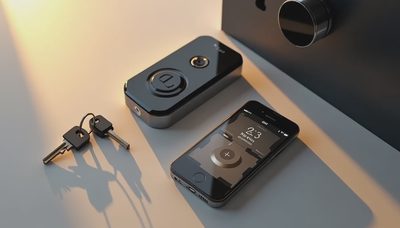
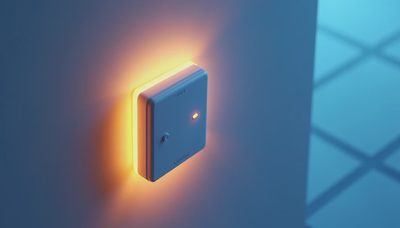
A smart fused connection unit (SFCU) marries a traditional fused spur with a smart switch module. It typically fits in a standard single-gang back box and includes a removable fuse carrier — usually 13A in the UK, but in the US you'll see 15A or 20A fused spurs. Inside, the smart relay handles switching, so you can control the downstream load (like a towel rail or a boiler) both manually via a button on the faceplate and remotely via your app. Some units also report energy usage. Brands like Hager and Schneider Electric make models that work with European smart homes, but American electricians often build custom solutions using a smart relay wired after a standard fused spur. For a clean retrofit, I recommend buying a pre-assembled unit from a vendor like Fibaro or Shelly — both offer UL-listed options for dry locations.
Why You Should Wire One During Rough-In
Here’s the problem: most homeowners regret not running a neutral and a dedicated circuit to appliance locations. A smart fused connection unit needs both a hot and a neutral, plus a low-voltage signal wire if you want a wired switch. If you’re already pulling 12/2 Romex for a disposal or a fireplace, swap in a 12/3 plus an extra low-voltage cable. That way, you can add the smart unit later without cutting open the wall. I did this in my own kitchen: ran a 12/3 to the cabinet above the microwave and capped it. A year later, when I decided to automate the exhaust fan, I just installed a smart fused connection unit and paired it with a humidity sensor. The cost of the wire was $10. The retrofit would have been $200 drywall repair plus an hour of labor. Ask your electrician about this before they button up.

How to Choose the Right Unit for Your Smart Home
Not all smart fused connection units are created equal. First, decide your smart home platform. If you’re all-in on Apple HomeKit, pick a unit with native HomeKit support — like the Fibaro Single Switch (requires a neutral) or the Aqara relay module (works with Zigbee). For Z-Wave, the Zooz ZEN15 is a popular power switch that includes a fuse? Actually, the ZEN15 is a smart plug, not a fused spur. A better match is the GE/Jasco 14291 Z-Wave smart switch with built-in fuse? Wait, you need a dedicated fused spur. In the US, licensed electricians often use a standard fused disconnect (like a 15A pull-out) and pair it with a smart relay in a junction box. For a pre-made SFCU, look at the Hager SFR series (UK style) or the Schneider Electric Wiser fused spur with smart module. The key: verify that the unit has a physical on/off button and that the fuse is easily replaceable. Avoid units that require a cloud connection for local control — stick to those that support local API or matter.
Installation Tips from the Trade
- Turn off the circuit and verify with a non-contact voltage tester. 2. Mount the SFCU securely in a metal back box if possible — plastic is fine for dry locations, but metal offers better heat dissipation for the fuse. 3. Strip the cable jacket back 3/8 inch and torque the terminal screws to 1.5 Nm (or the manufacturer spec). 4. Connect line, load, and neutral. Ground wire goes to the box and the unit's ground terminal. 5. Program the smart module via the manufacturer app — set a static IP if you’re connecting to a home automation hub. 6. Test the manual override: the front button should cut power even if the smart module is offline. I’ve seen homeowners skip this step and end up trapped with a stuck relay. The manual override is a safety feature — not a gimmick.
Common Mistakes to Avoid
- Forgetting the neutral. Many fused spurs don't need a neutral, but a smart unit does. If you only ran a 2-wire cable, you'll have to surface-mount a box or use a smart relay that works without neutral (like the Fibaro Universal Dimmer 2). But those are less reliable long term. Run a neutral now. - Using the wrong fuse rating. A 13A fuse (common in UK units) blown in a US setup? Match the fuse to the wire gauge: 15A for 14 AWG, 20A for 12 AWG. Oversizing can cause wire overheating. - Ignoring code clearance. The SFCU must be accessible without moving cabinets or appliances. If you bury it behind a fixed panel, you’ll fail inspection. Install it in a base cabinet or a closet with a clear label. - Not testing before closing the wall. After you wire the unit, mount the drywall but leave the box accessible. Test the smart function before the mud and paint go on. I learned this the hard way: my first smart fused connection unit had a faulty relay, and I had to cut a repair hole to replace it. Don’t be that person.
Ask your electrician about a smart fused connection unit while the studs are still exposed. The wire is cheap; the regret is expensive.


No letters yet — pray write the first.