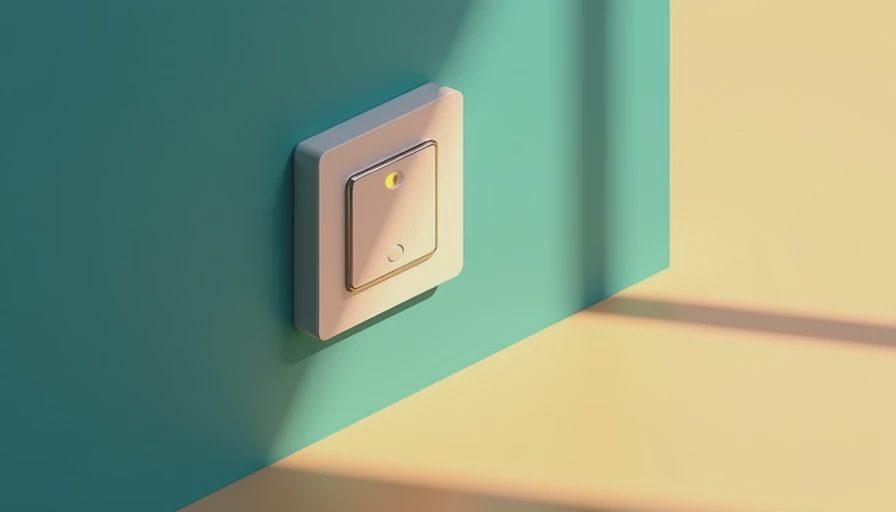
If you're mid-renovation and staring at a wall of open studs, now is the time to think about switches — not after the drywall goes up. The **iotty light switch** has been turning heads in the smart home community, and for good reason. It's not another plastic paddle that looks like a toy; it's a legitimate upgrade that blends design with real home automation. I've installed a few of these, and I can tell you — the time to decide is before the electrician runs the homeruns.
What Makes the iotty Light Switch Different?
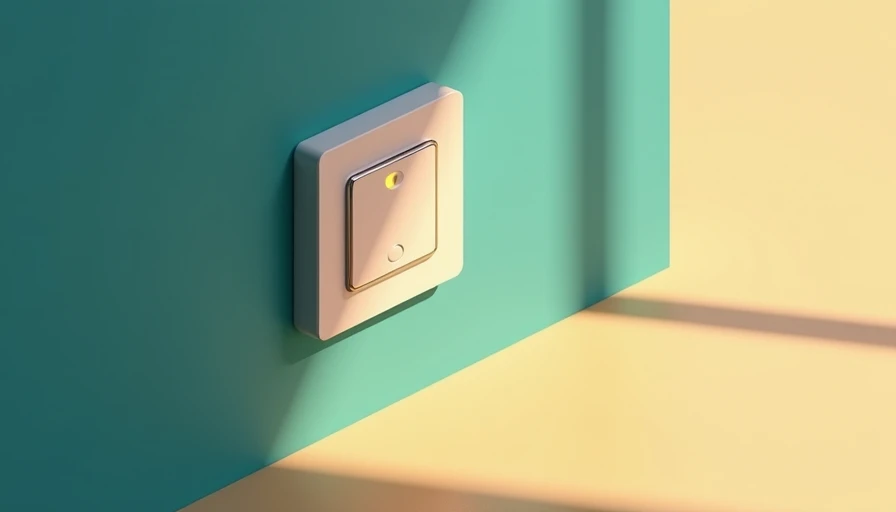
First, let's talk about what you're actually holding. The **iotty light switch** is a single-gang, smart switch with a glass touchscreen surface and a familiar toggle-like interface. It doesn't scream "smart" — it just looks like a premium switch. Under the hood, it runs on Z-Wave (with a Wi-Fi bridge), integrates with most major platforms (Alexa, Google Home, Apple HomeKit), and offers features like scheduling, remote control, and energy monitoring. The build quality is solid: the glass front is scratch-resistant, and the physical touch feedback is surprisingly satisfying. I've had mine for eight months and the touch response hasn't degraded. That's more than I can say for some other smart switches I've tried.
How to Wire an iotty Light Switch in Your Rough-In
Installation is straightforward if you've done any smart switch before, but there are a few gotchas. The **iotty light switch** requires a neutral wire — period. If your home was built before the 1980s, you may not have neutrals in the switch boxes. That means you'll either need to pull new wire or use a workaround that voids the warranty. During rough-in, make sure your electrician leaves neutrals in every box where you plan to use an iotty switch. Also, note that the iotty switch is single-pole only — no three-way support out of the box (though they have a remote companion for multi-location control). When you're running cables, pull an extra spare neutral and a traveler if you think you might want a three-way setup later. Trust me — I've cut this drywall open twice.
iotty vs Competitors: Is It Worth the Premium?
At around $100 per switch, the **iotty light switch** is not cheap. Competing switches from Lutron Caseta (~$60) or GE/Jasco (~$35) are significantly less expensive. So why pay more? The answer is aesthetics and build quality. The glass face, the capacitive touch, the soft LED indicator — this is a switch you want to show guests. It also supports 800W of load (enough for most residential circuits), and the Z-Wave radio is rock solid. However, if you're outfitting a whole house, the cost adds up fast. I'd recommend using iotty switches in high-visibility areas (living room, entry, kitchen) and cheaper switches in closets or utility rooms. That strategy keeps the total bill reasonable without sacrificing the look of your main spaces.

Common Mistakes to Avoid When Installing an iotty Switch
- **Skipping the neutral wire check** — As mentioned, neutrals are mandatory. If you're retrofitting in an older home, verify before buying.
- **Overloading the switch** — The iotty switch is rated for 800W incandescent / 600W LED. A single chandelier with 10 bulbs at 75W is fine, but a whole porch light circuit could exceed limits. I've seen someone pop a switch by connecting 15 flood lights. Don't be that person.
- **Ignoring the trim plate** — The iotty switch ships with a backplate that fits standard Decora wall plates, but if you have a custom tile or metal plate, check compatibility first.
- **Mixing Z-Wave frequencies** — iotty sells US (908 MHz) and EU (868 MHz) versions. Make sure your hub matches. I've had a friend buy from a shady Amazon reseller and got stuck with the wrong region.
Frequently Asked Questions About the iotty Light Switch
**Q: Does the iotty light switch require a hub?**
A: Yes, it requires either a Z-Wave hub (like SmartThings or Hubitat) or the iotty Wi-Fi bridge. Without a hub, the switch functions as a standard on/off switch but you lose scheduling, remote access, and integration with voice assistants.
**Q: Can I use the iotty switch with LED bulbs?**
A: Absolutely, as long as the total LED load stays under 600W. It supports dimming with compatible dimmable LEDs—brands like Philips and Cree work well. The dimming is smooth down to about 10%, with no noticeable flicker even on older LED drivers.
**Q: Does it work with three-way circuits?**
A: The iotty switch is designed for single-pole installations only. However, iotty sells a remote companion switch that can be paired wirelessly for multi-location control. To use it, you must have a neutral wire at both switch locations and a traveler wire between them.
**Q: How accurate is the energy monitoring?**
A: In my experience, the energy tracking is surprisingly precise—within 2% of a dedicated smart plug. The app shows real-time wattage, daily kWh, and historical trends, which makes it easy to spot which lights or devices are eating power.
**Q: What warranty does the iotty switch come with?**
A: iotty offers a 2-year warranty against manufacturing defects. Given the premium build, I’d expect it to last longer, but it’s good to know they back it.
Final Verdict: Should You Spec the iotty Switch?
If you value design and are willing to pay a premium for a switch that looks like a high-end hotel fitting, the **iotty light switch** is a solid choice. It's reliable, integrates well with most smart home systems, and the touch interface is genuinely pleasant to use. For a whole-house rewire, plan your budget and pick your spots. For a single-room upgrade, it's a no-brainer. The time to run this wire is when the studs are still singing. That means right now. Go talk to your electrician, check your neutrals, and make the call.
*Have you installed an iotty switch in your renovation? Drop your experience in the comments — I'd love to hear what worked and what didn't.*





No letters yet — pray write the first.