
If you're in the middle of a renovation and planning to install smart window coverings, now is the time to think about wiring. Trust me—I've cut this drywall open twice. Running the right low-voltage cable for your google home window blinds during rough-in saves you from ugly battery packs, spotty connections, and the pain of fishing wire through finished walls. Here's what you need to know before the drywall crew shows up.
Why Pre-Wire for Google Home Window Blinds?
Wired blinds offer four advantages over battery-powered ones: no battery changes, consistent response, cleaner installation, and integration with your smart home ecosystem. Google Home works with many motorized blinds via hubs or direct Wi-Fi, but the physical power needs to be there. Most motorized blinds use 12V or 24V DC, so you need a dedicated low-voltage wire from each window to a central power supply or a nearby outlet. Plan for this during the stud stage, and you'll avoid the clutter of plug-in adapters dangling from the window frame.

What You Need to Run During Rough-In
For a typical residential installation, I recommend running 22/2 stranded wire from each window to a centralized location—like an attic, closet, or basement. Some systems use 22/4 if you want separate power and control lines. Use CL2 or CL3 rated cable for in-wall compliance. Also, pull a separate cat5e or cat6 cable to each window if your blinds use a hardwired data connection (like Lutron’s Sivoia QS or Somfy's RTS systems). Leave at least 12 inches of service loop at both ends. And label every wire! Use a permanent marker or numbered tags so you know which window each pair goes to when it's time to terminate.
Common Mistakes to Avoid
I've seen too many homeowners forget a critical window during the pre-wire. Make a list of every window that might get blinds—even rooms you're not finishing yet. It's cheaper to run extra wire now than to cut drywall later. Another mistake: using solid-core thermostat wire for motorized blinds. Solid wire can break under the vibration of the motor; stranded is much more forgiving. Also, don't skimp on the power supply. A single 2-amp transformer might not handle multiple blinds. Calculate the total wattage and choose a supply with at least 20% headroom.
Integration with Google Home
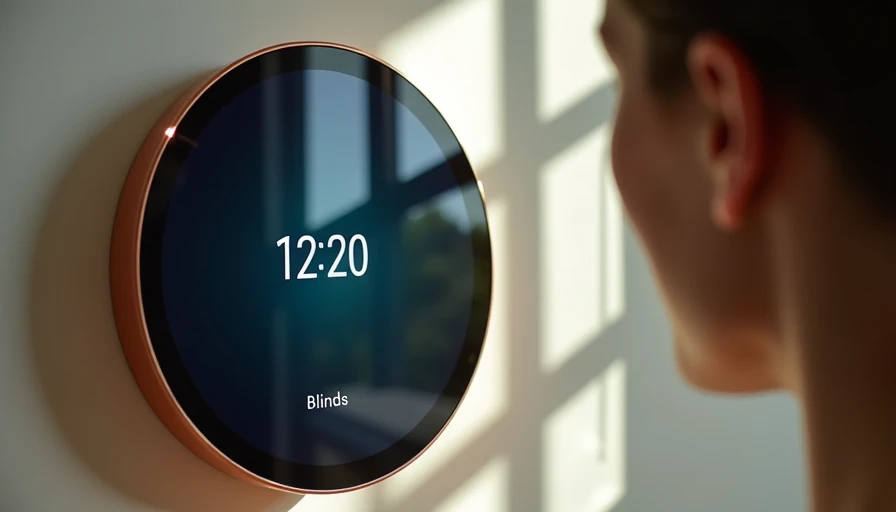
Once your google home window blinds are wired and installed, the magic happens in the settings. Most wired blinds connect through a hub—like Lutron's Caséta bridge or Somfy's TaHoma—that links to Google Assistant. In the Google Home app, you can add the blind's hub under "Works with Google" and then control the blinds with voice commands, routines, or schedules. For example, say "Hey Google, close the living room blinds" or set a morning routine that opens them at sunrise. If you're using a Z-Wave or Zigbee system, a bridge like Hubitat or SmartThings can bridge to Google Home as well. Just make sure your chosen brand explicitly supports Google Home before you buy.
Final Tips Before Drywall Goes Up
Test every wire before the insulation and drywall go in. Use a multimeter to check for continuity and short circuits. If you have a spare power supply, even briefly connect it to verify the motor works. Also, leave a pull string in the conduit if you used one—it'll make future upgrades easier. Talk to your electrician about whether you need a separate circuit for the blinds or if they can share with the lighting. Finally, take photos of the wiring layout for future reference. You'll thank yourself later.
Pre-Wire Checklist for Google Home Window Blinds
Before the drywall goes up, run through this checklist to guarantee your google home window blinds will work flawlessly.
- **Measure every window** – Include all windows that might get blinds, even in unfinished rooms.
- **Choose your blind brand** – Confirm it works with Google Home (e.g., Lutron Serena, Somfy, IKEA FYRTUR, etc.).
- **Select wire gauge** – Use 22/2 stranded low-voltage wire for power; add 22/4 if controlling via separate data lines.
- **Run conduit** – Consider flexible conduit for future upgrades; leave pull string inside.
- **Centralize power** – Plan a location for the power transformer (attic, closet, basement) with easy access.
- **Calculate load** – Add up the total wattage of all blinds; size transformer with at least 20% headroom.
- **Label every cable** – Mark each wire pair with the window location; use a multimeter to test continuity.
- **Install junction boxes** – At each window, install a low-voltage ring or box to terminate the wire.
- **Leave service loops** – At least 12 inches of slack at both ends for termination and future adjustments.
- **Document everything** – Take photos of the wiring runs and label diagram before drywall covers it.
Tick off each item, and you'll avoid post-construction headaches. This checklist saves you from the most common pitfalls when integrating google home window blinds into your smart home setup.
Pre-wiring your google home window blinds is one of those decisions that pays off every time you say "Hey Google, dim the room" and the blinds respond silently. The time to run this wire is when the studs are still singing. If you've already sealed up, share your retrofitting tricks in the comments—I'm always looking for better ways to avoid cutting that drywall again.



No letters yet — pray write the first.