If you've ever stood in your backyard trying to stream music or had a video call drop in the guest bedroom, you know the frustration of weak WiFi. Dead zones aren't just annoying—they make a smart home feel dumb. Lights that won't respond, cameras that buffer, thermostats that lose connection: that's the reality when your signal can't cover your whole house. The good news? You don't need to call an electrician for every fix. Here's how to extend wifi range using tools you probably already have or can install yourself.
Why Your WiFi Range Falls Short
Before you buy anything, understand why your signal doesn't reach that far corner. Standard routers broadcast in a sphere, but walls, floors, and metal objects absorb or reflect radio waves. A router tucked in a closet or behind a TV stand loses half its effective range before it even leaves the room. The 2.4 GHz band travels farther but carries less data; 5 GHz is faster but weakens quickly through obstacles. Knowing this helps you choose the right strategy when you learn how to extend wifi range.
The Simple Fix: Optimize Your Router Placement
Move your router to a central, elevated location. Off the floor, away from metal, and out of cabinets. In many homes, placing it in a hallway or living room ceiling-mounted works wonders. Even a few feet can boost coverage dramatically. Adjust antennas perpendicular to each other (one vertical, one horizontal) to cover both floors and walls. This is the cheapest step in how to extend wifi range—and often the most effective.
Upgrade Your Hardware for Better Coverage
If repositioning doesn't cut it, consider a newer router. Wi-Fi 6 routers (802.11ax) handle multiple devices and longer distances better than older models. Look for models with external antennas and beamforming technology, which focuses the signal toward connected devices. A solid upgrade costs $100–$200 and can double your range. Pairing this with a router that supports mesh networking gives you a path to expand later. That's a key part of how to extend wifi range without adding multiple separate networks.
Use a WiFi Extender or Mesh System
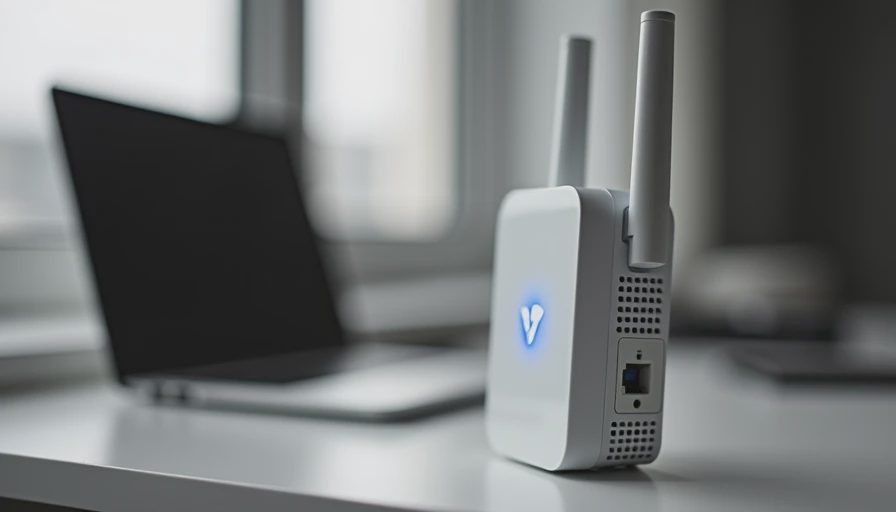
For larger homes, a single router might not be enough. A WiFi extender (also called a repeater) picks up your signal and rebroadcasts it. Place it halfway between the router and the dead zone. Expect some speed loss—extenders cut throughput by about half. A better solution is a mesh system, like those from Eero, Orbi, or Google Nest. These use multiple nodes that talk to each other, creating one seamless network. Mesh is ideal if you're serious about how to extend wifi range across multiple floors or outbuildings.

Run Ethernet for a Wired Backbone (Smart Home Focus)
If you're renovating or have access to attic or crawlspace, running Ethernet cables to key locations is the gold standard. Connect a second access point or mesh node via wired backhaul—this gives you full speed in that zone. For smart home devices like cameras, doorbells, and hubs, a wired connection is more reliable than WiFi. When planning a renovation, consider how to extend wifi range by adding Ethernet drops in planned dead zones. Even a single cable can solve years of frustration.
Band Steering and Channel Selection
Most modern routers support band steering, which automatically moves devices between 2.4 GHz and 5 GHz. Enable this in your router settings. Also, check for channel congestion—neighboring WiFi networks on the same channel cause interference. Use a WiFi analyzer app (like NetSpot or WiFi Analyzer) to find the least crowded channel. Switch your router to that channel. This tweak is often overlooked, but it's a crucial part of how to extend wifi range effectively.
Use Powerline Adapters for Wired-Like Connection in Any Room
If running Ethernet isn't practical, powerline adapters are a solid alternative. These devices send data through your home's electrical wiring. Plug one adapter near your router and connect it via Ethernet, then plug a second adapter in the room with the dead zone. The second adapter provides an Ethernet port or even rebroadcasts WiFi. Powerline is great for rooms that are far from the router but on the same electrical circuit. Expect speeds up to 1 Gbps in ideal conditions, though older wiring can reduce that. Brands like TP-Link and Netgear offer reliable kits for $50–$100. Adding a powerline adapter is a straightforward next step in how to extend wifi range when you can't drill walls.
Final Thoughts on How to Extend WiFi Range
Extending your WiFi range doesn't have to be expensive or complicated. Start with router placement, move up to hardware upgrades, and if you're building or renovating, run Ethernet for a future-proof setup. For smart homes especially, a strong network is the foundation everything else depends on. Whether you're adding a mesh system, powerline adapters, or just moving your router 10 feet, every step brings you closer to full coverage. Trust me—I've cut this drywall open twice to add a cable I could have run during the rough-in. Now you know how to extend wifi range before the drywall goes up.





No letters yet — pray write the first.